A better welcome.
A clearer visitor journey.
Visitly runs on Apple iPad and gives walk-in and pre-registered visitors a smooth, responsive experience from check-in and photo capture to badge printing and sign-out.

From arrival to departure. Clearly connected.
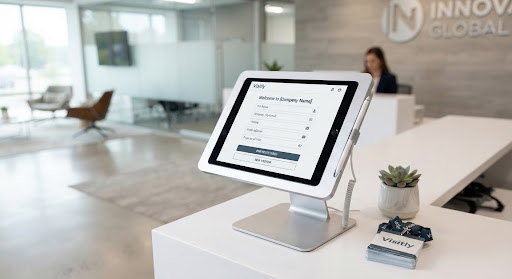
Scan or register.
Scan a pre-registration QR code to instantly pull attendee records, or input full guest credentials in seconds.
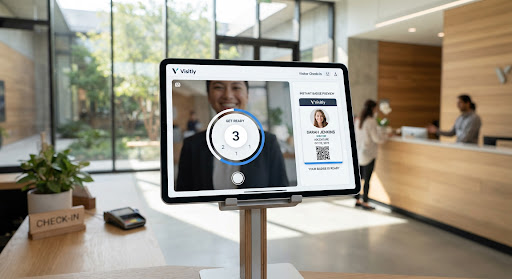
Confirm. Capture. Print.
Review visitor details, take an auto-framed photo when required, and choose an authorized badge template before printing.
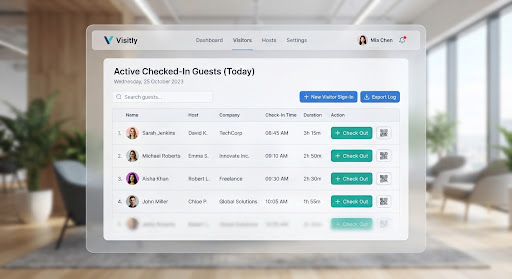
Complete the visit.
Check out by quickly re-scanning the badge QR code or selecting from active lobby occupants to maintain exact compliance.
One visit.
Every step.
See how Visitly brings registration, instant photo capture, compliant badge templates, and sign-out into one cohesive tablet experience.
Where Visitly fits
Whether you're welcoming clients to an executive showroom, contractors to an industrial plant, or scheduled visitors to corporate headquarters, Visitly creates a polished, secure reception experience.
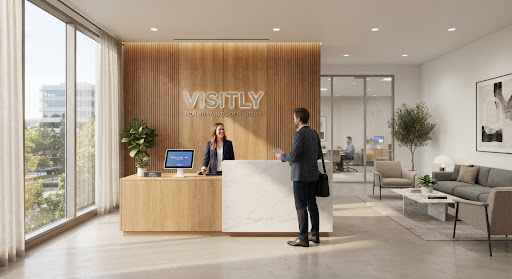
Office Reception
A seamless and polished check-in experience for enterprise clients, partners, and scheduled guests.
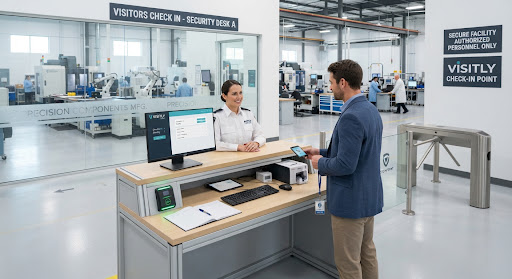
Factory & Site Reception
Register contractor arrivals, mandate safety NDAs, and issue color-coded passes at perimeter checkpoints.
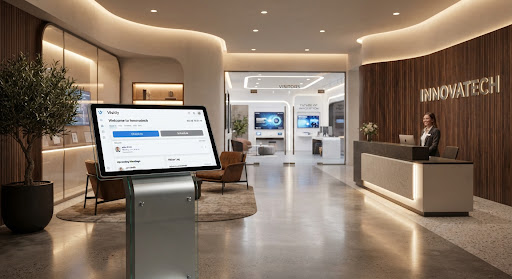
Showrooms & VIP Visits
Project high brand elegance with custom welcome displays, personalized host matching, and express access.
A badge that makes the details clear.
Choose from built-in standard layouts, including photo-led, contractor, and text-based designs. Live preview guarantees flawless output on standard thermal paper.

A few things you may want to know.
Looking at Visitly for your front desk? Here are answers to common questions about deployment and hardware.
Let’s talk reception
See Visitly at your front desk.
Tell us a little about your reception setup. We’ll discuss how Visitly could support your visitor check-in and badge printing workflow.
- Explore the iPad reception experience.
- Take a closer look at visitor badge styles.
- Discuss your device and printing setup.